
English ·
简体中文 ·
日本語
# MooTool
Handy desktop toolset for developers.
[](https://gitee.com/zhoubochina/MooTool)
[](https://github.com/rememberber/MooTool)
[](https://github.com/rememberber/MooTool/releases)
[](https://github.com/rememberber/MooTool/blob/master/LICENSE.txt)
 ## Supported platforms
Windows • Linux • macOS
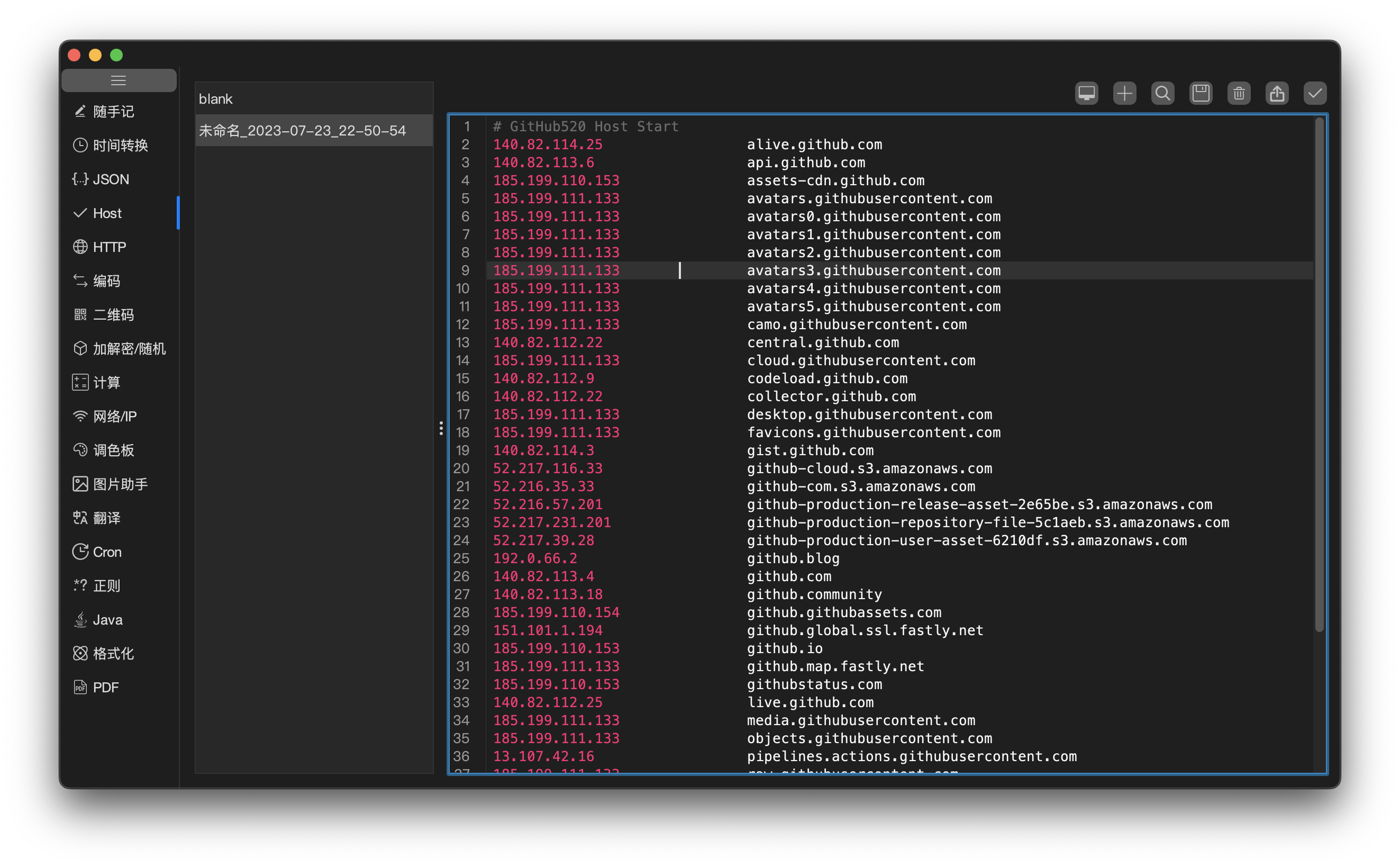
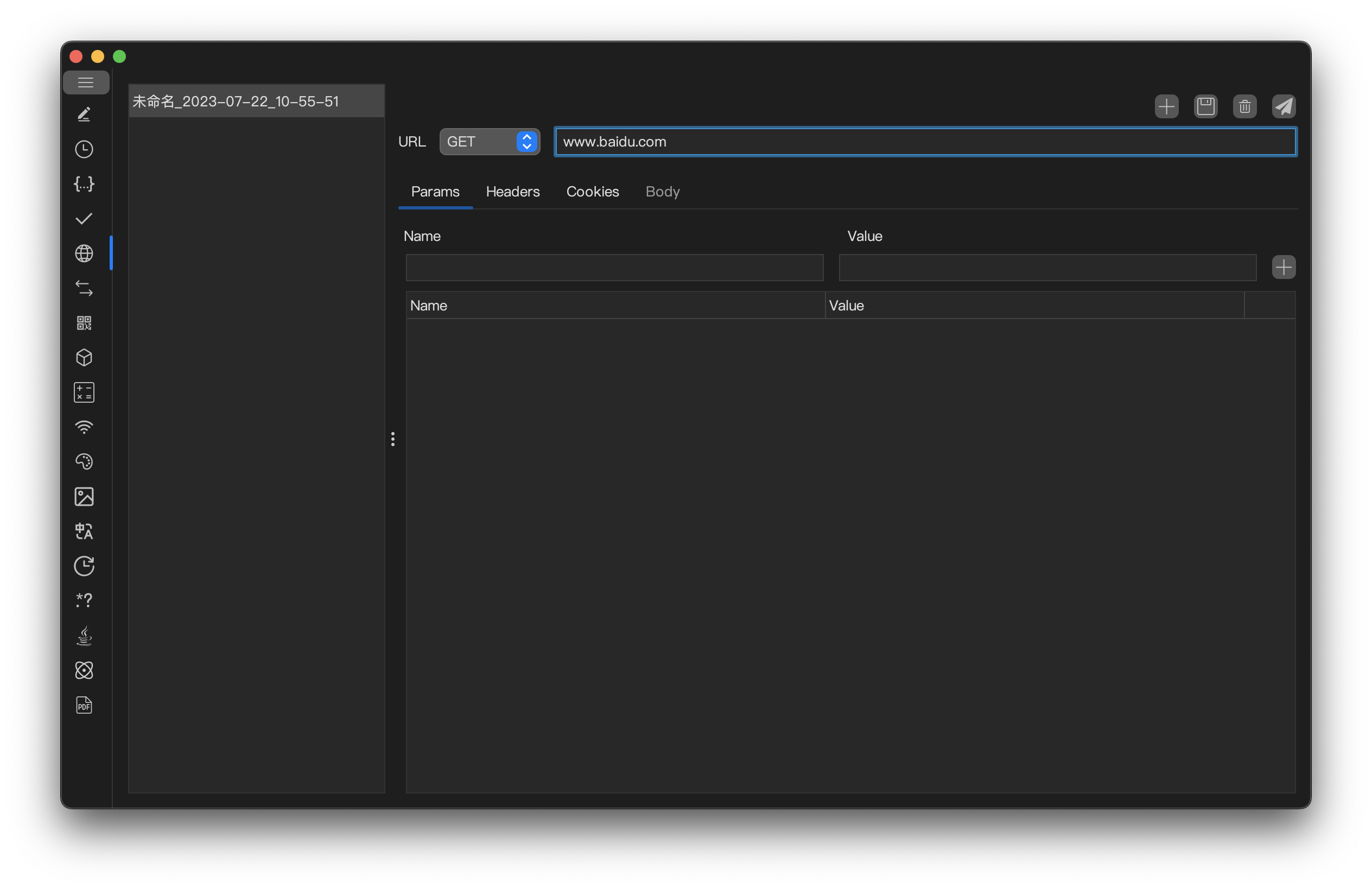
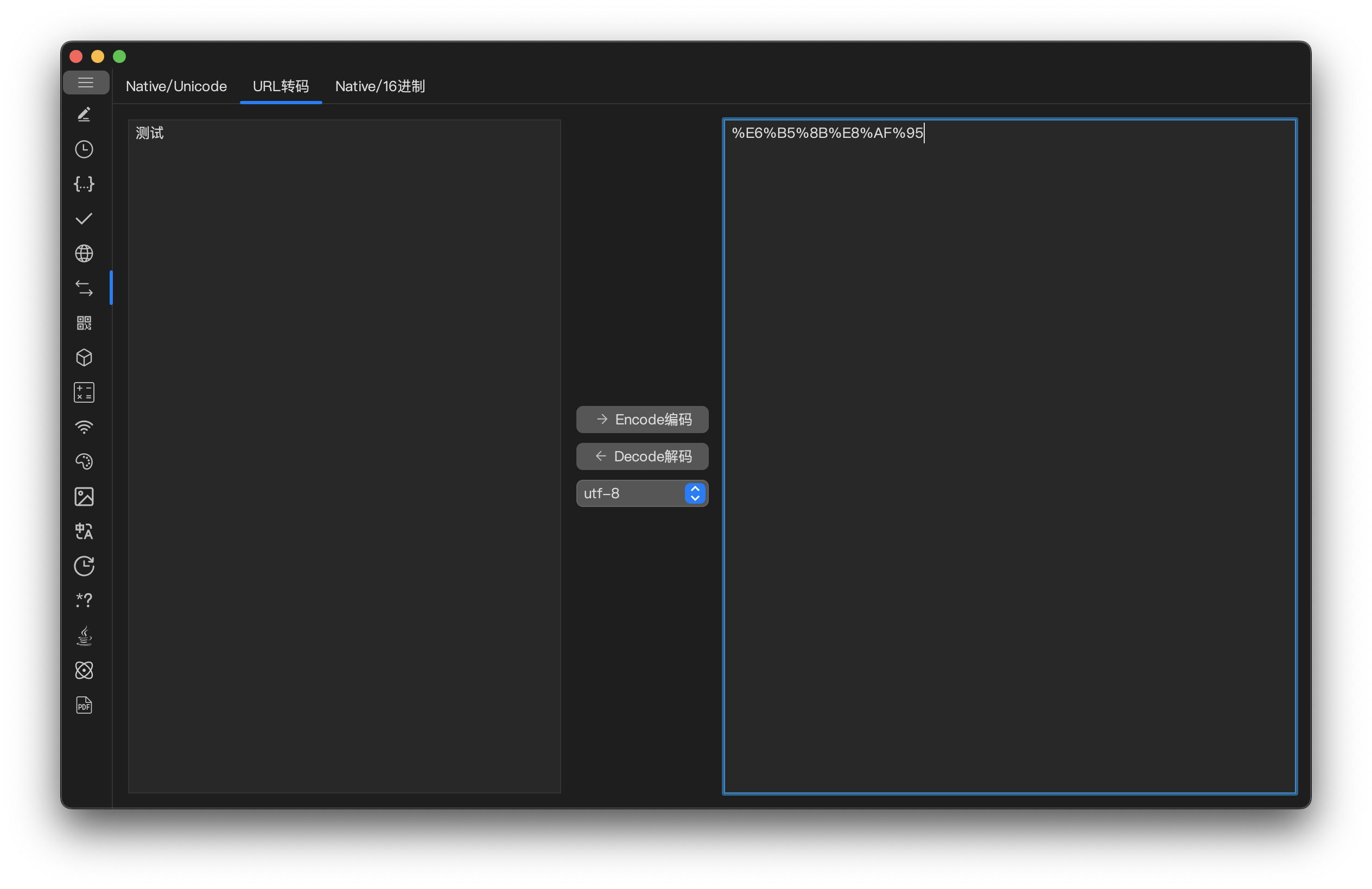
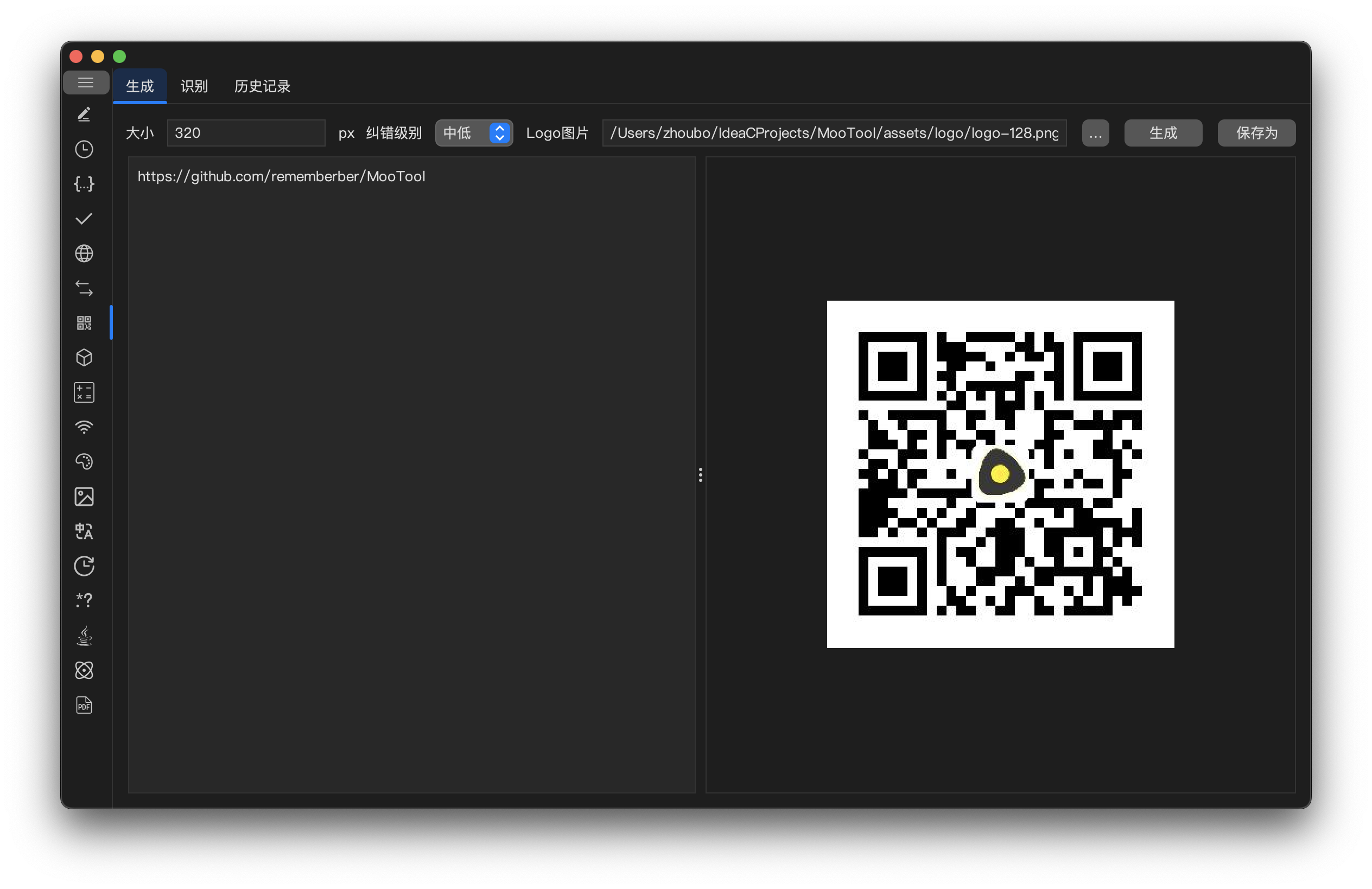
## Screenshots
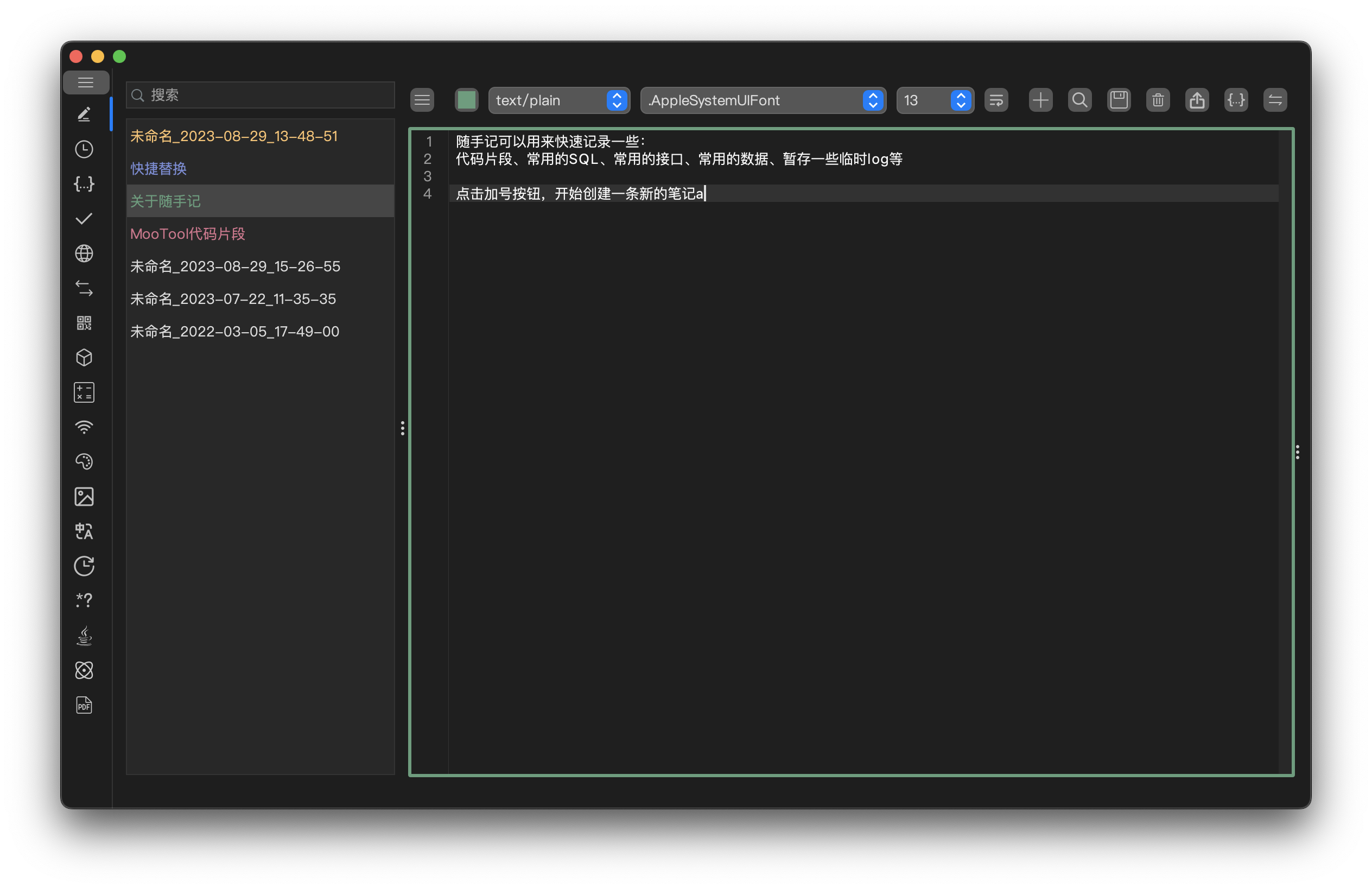
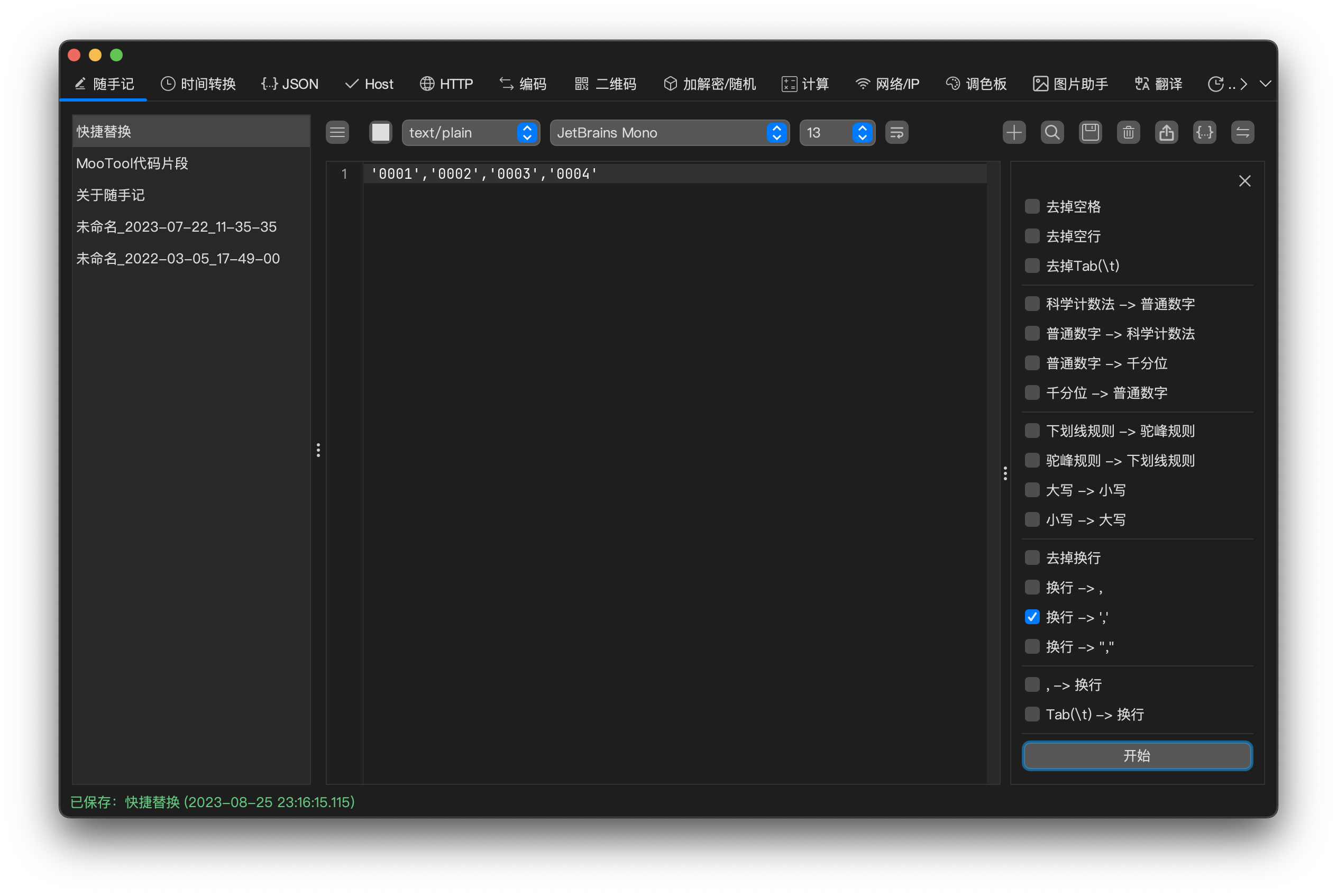
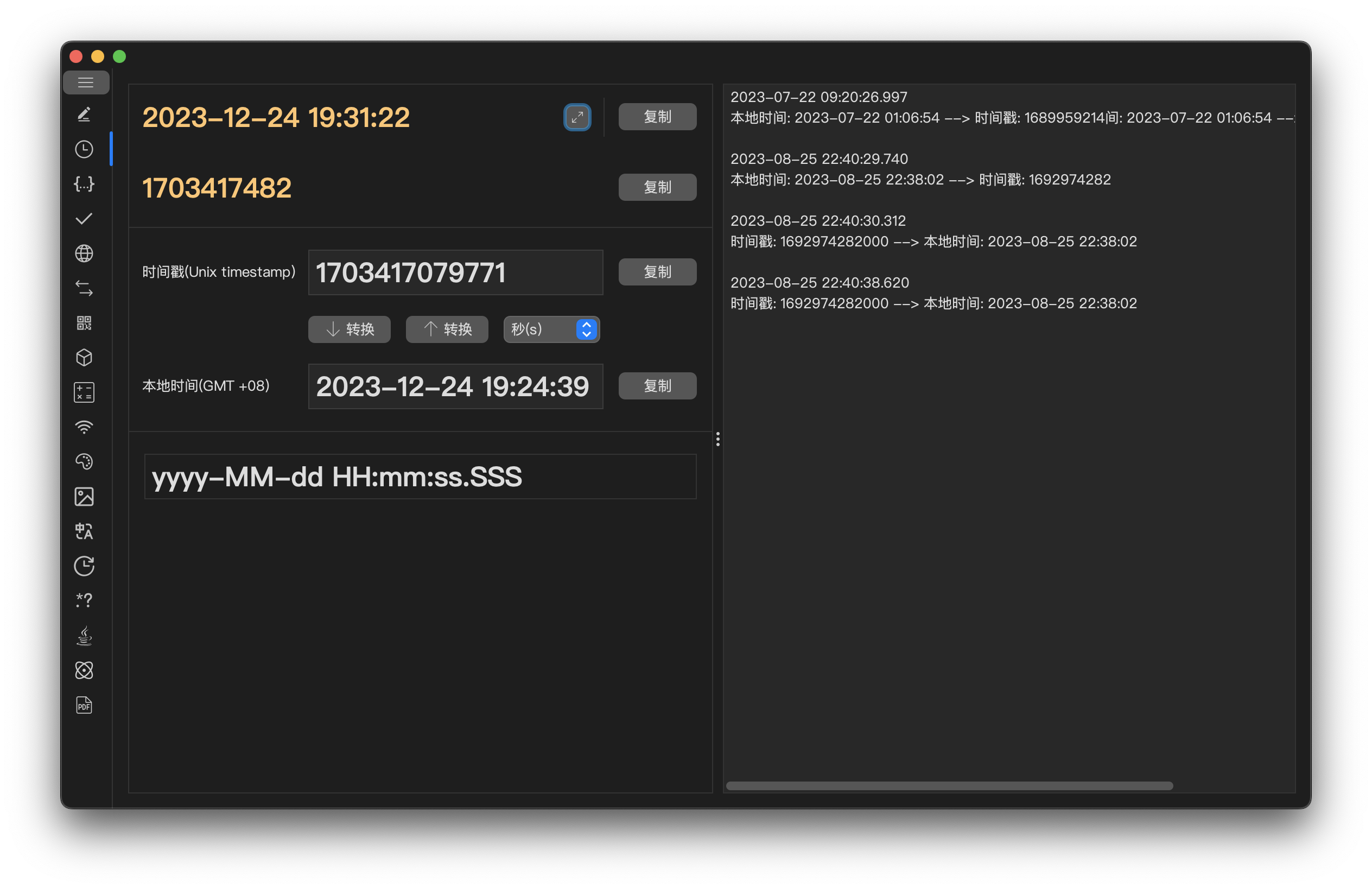
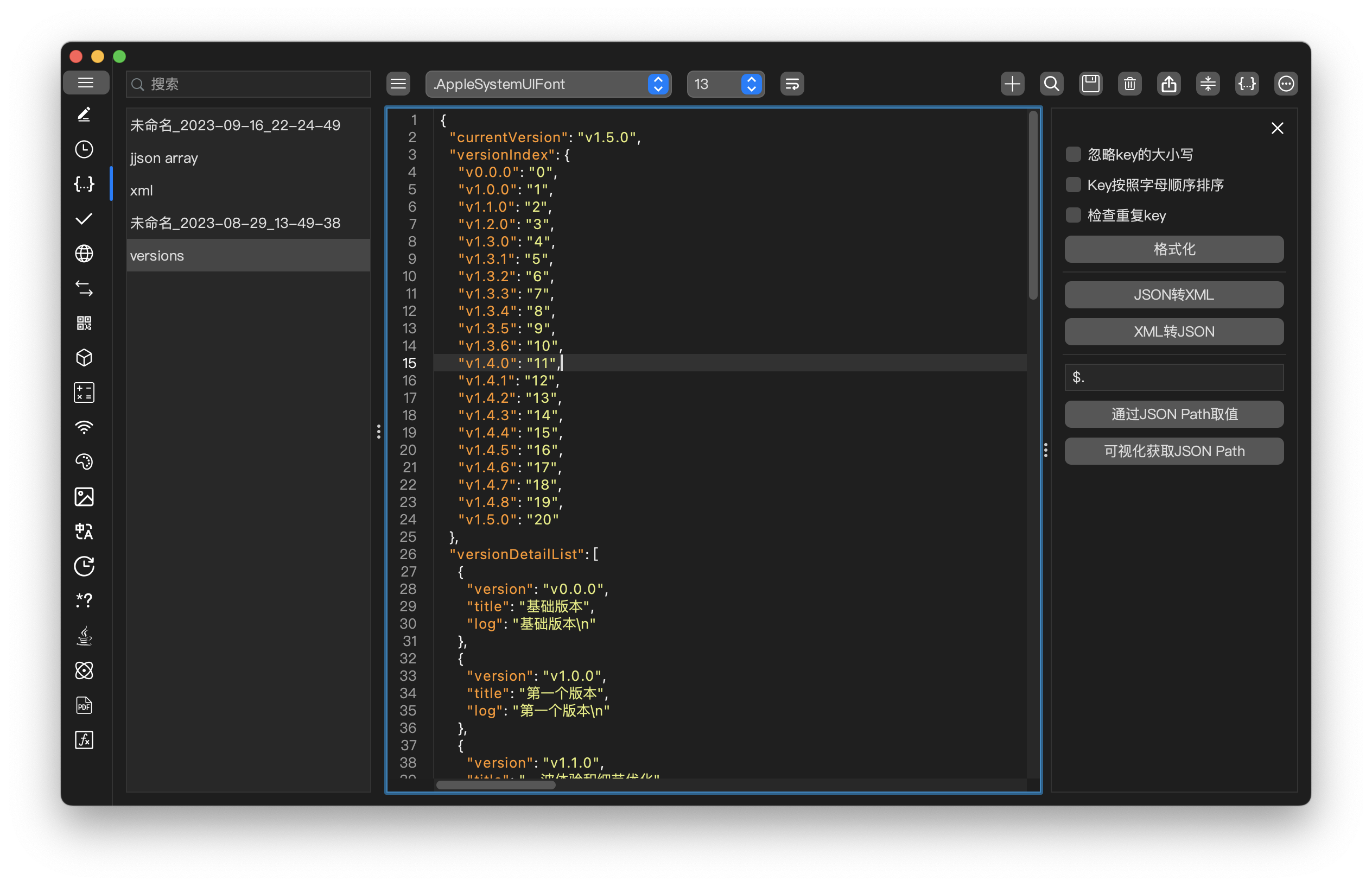
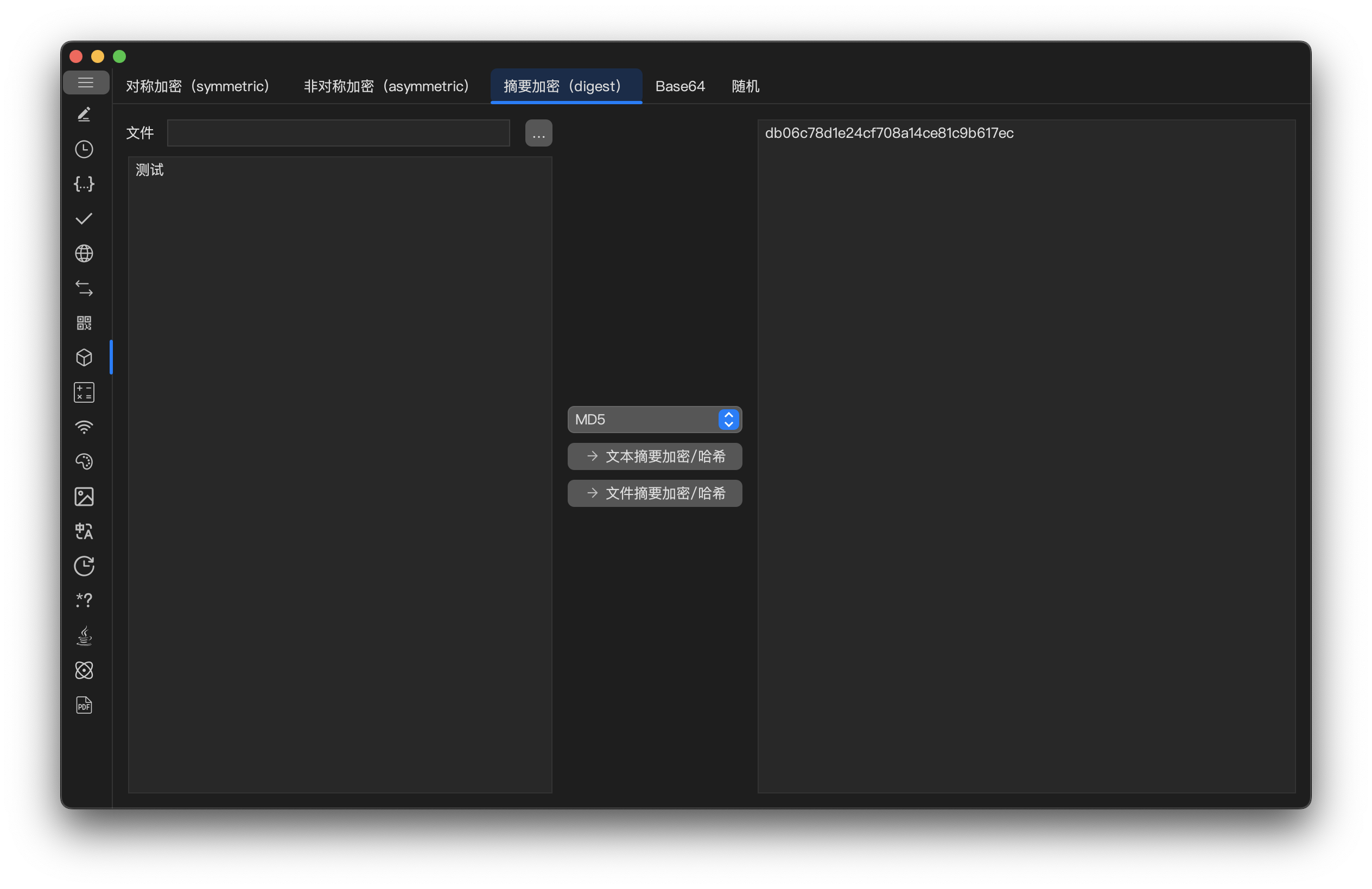
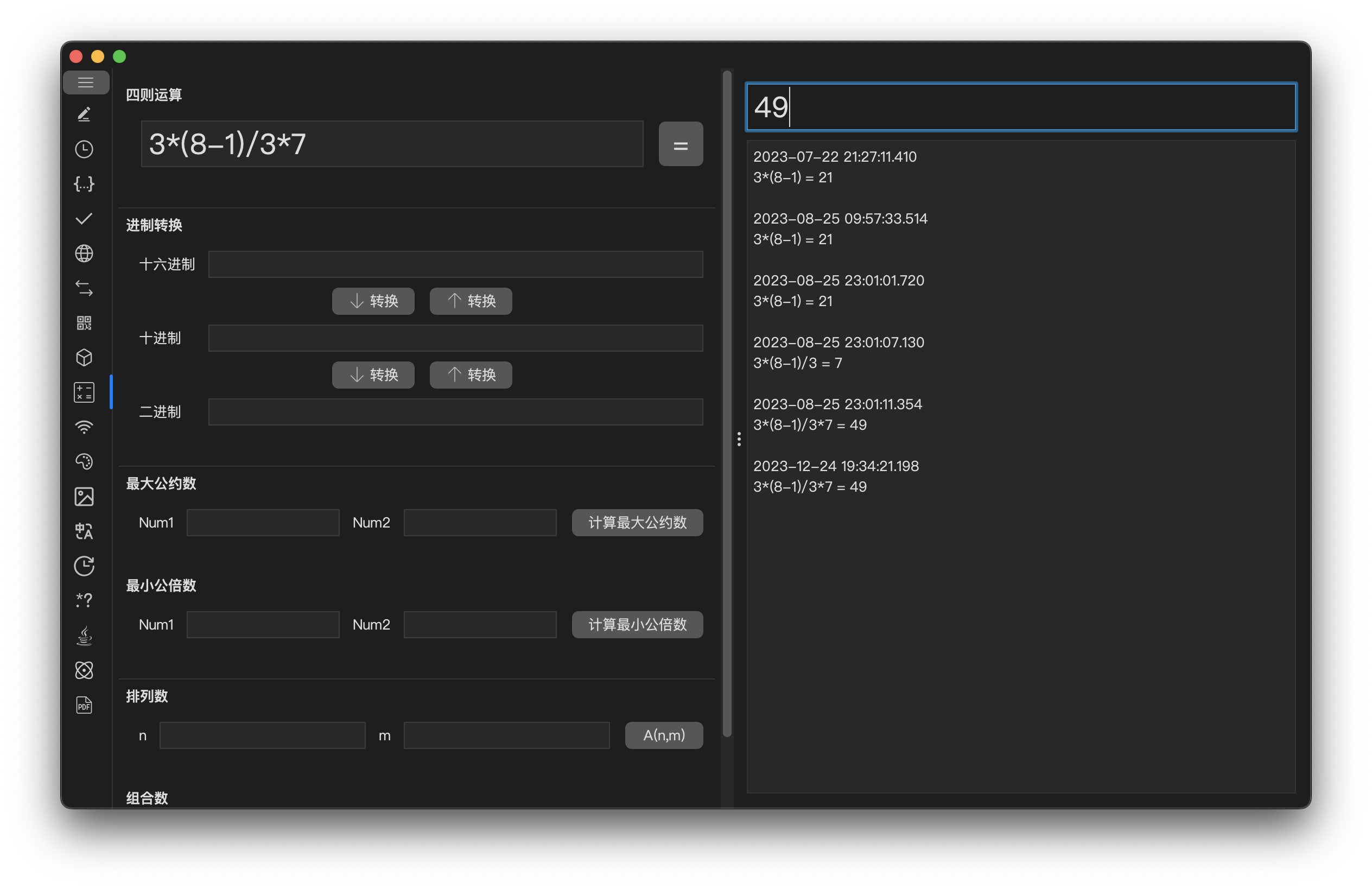
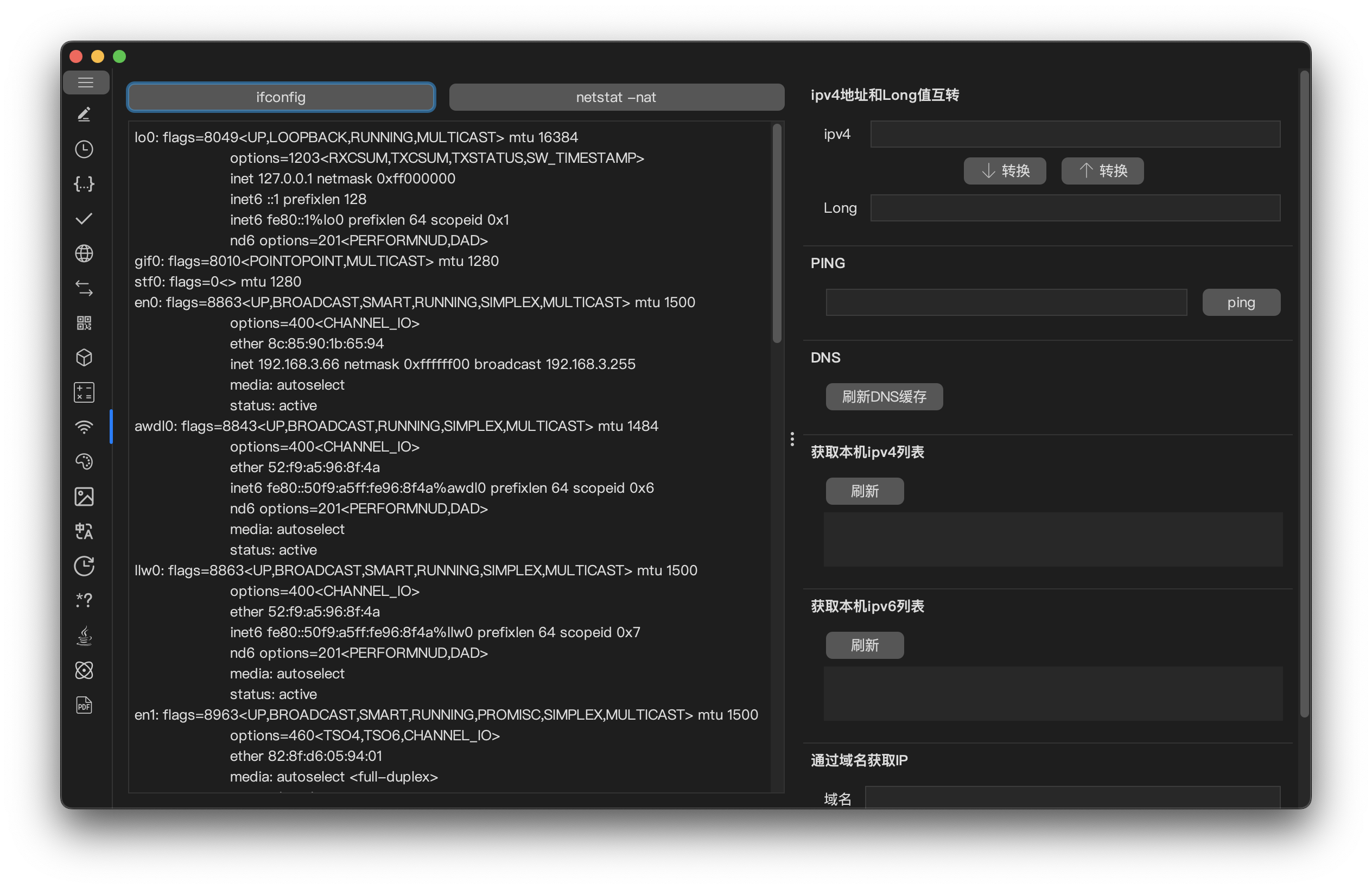
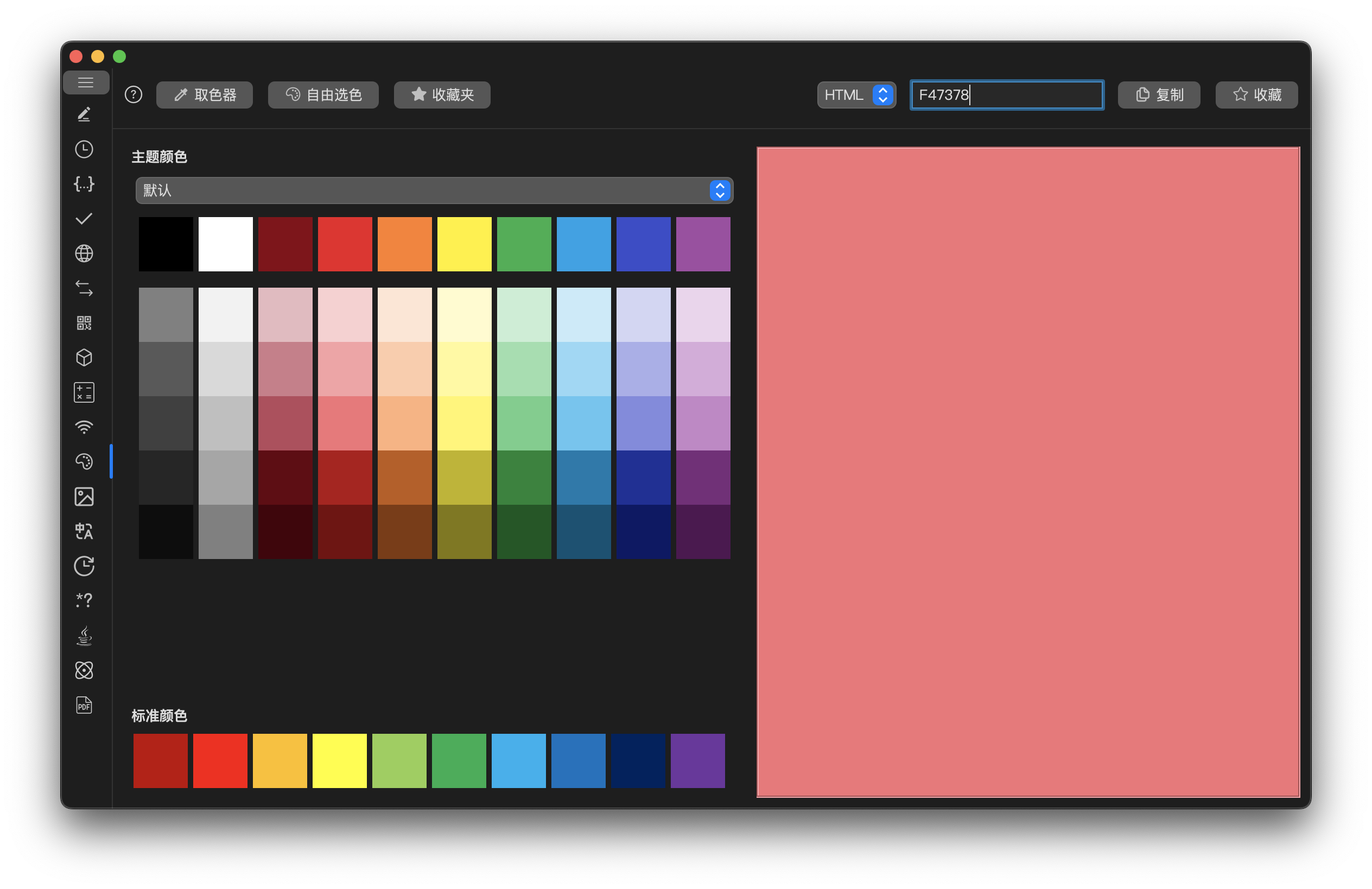
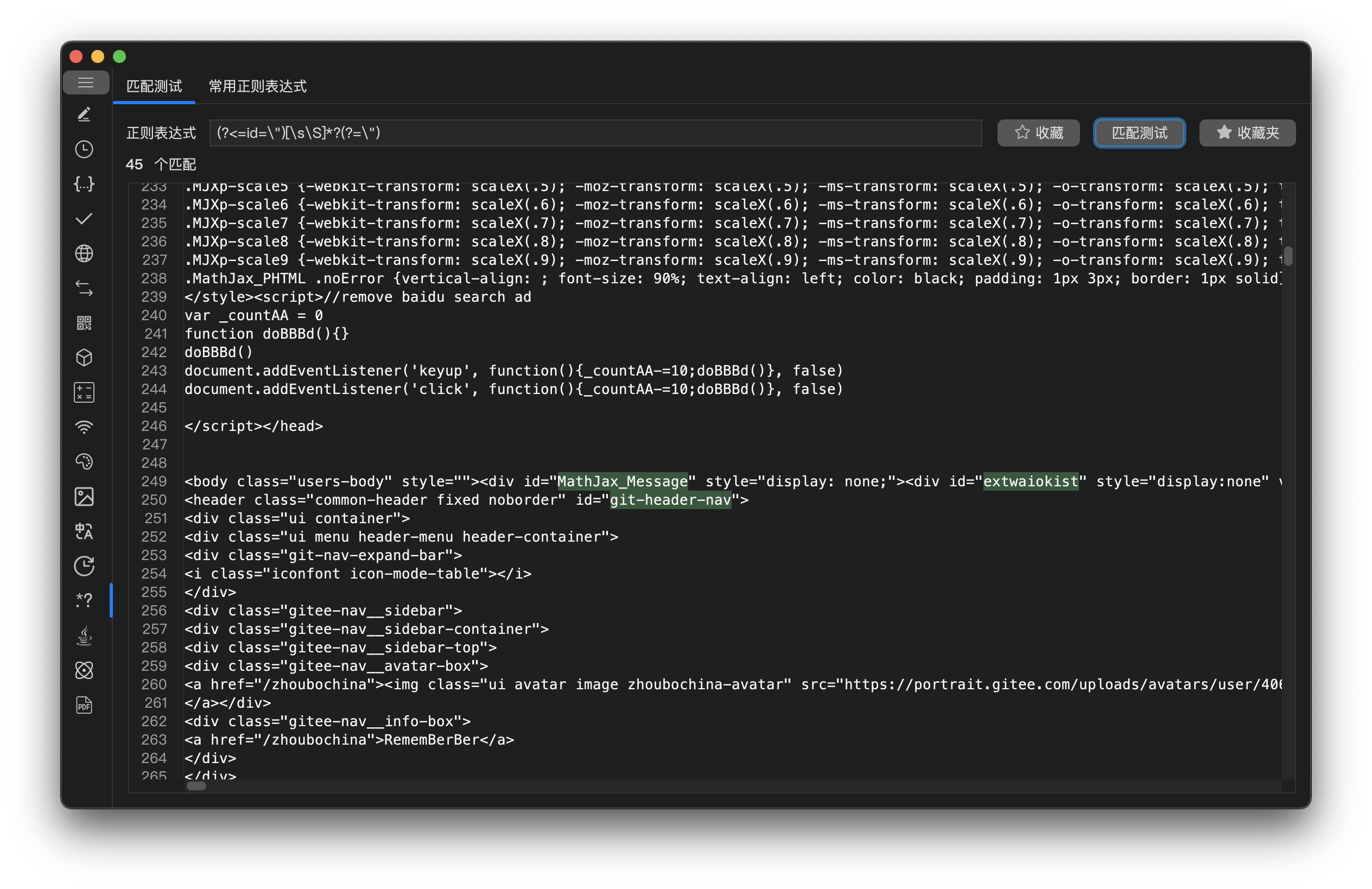
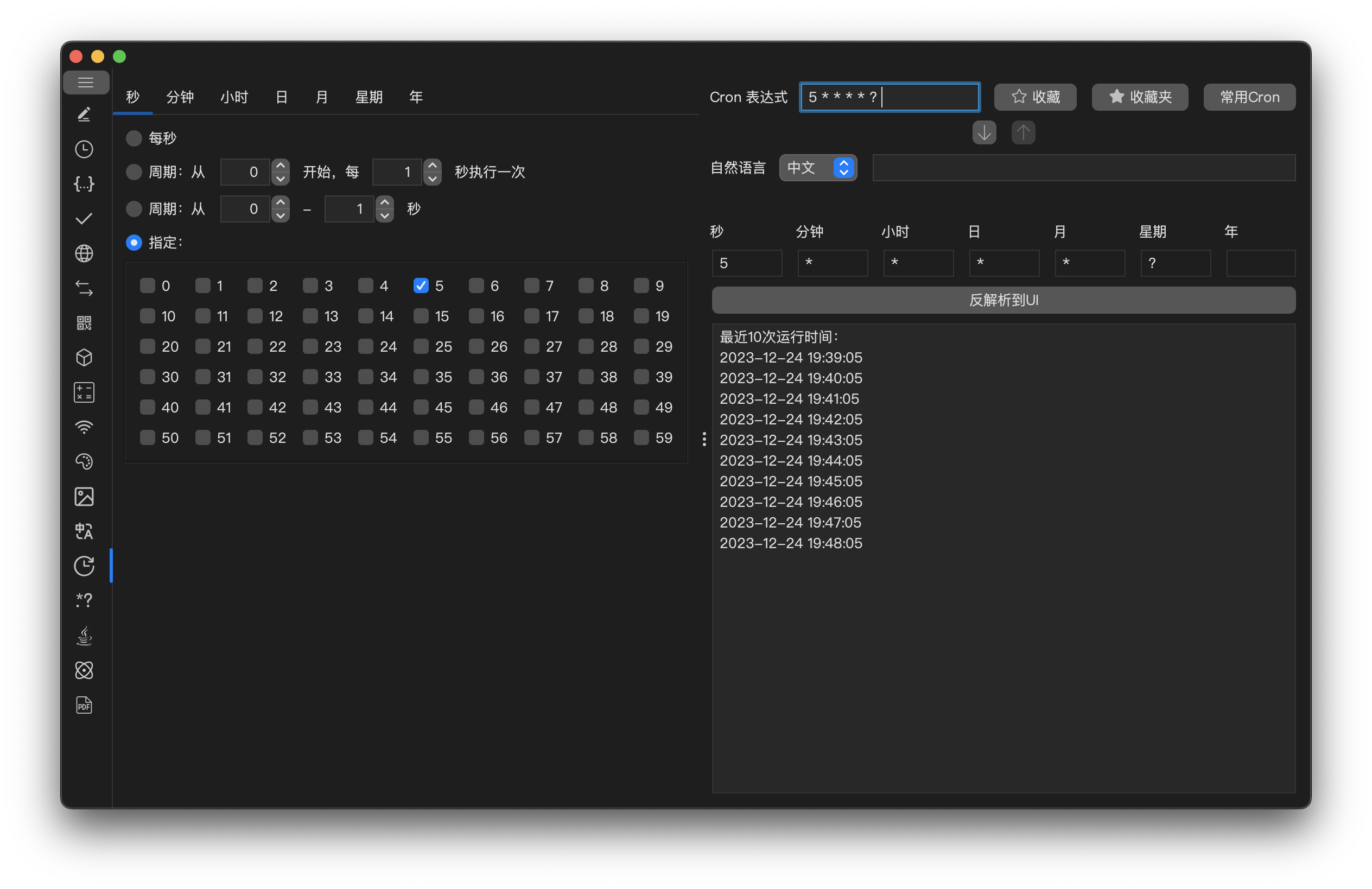
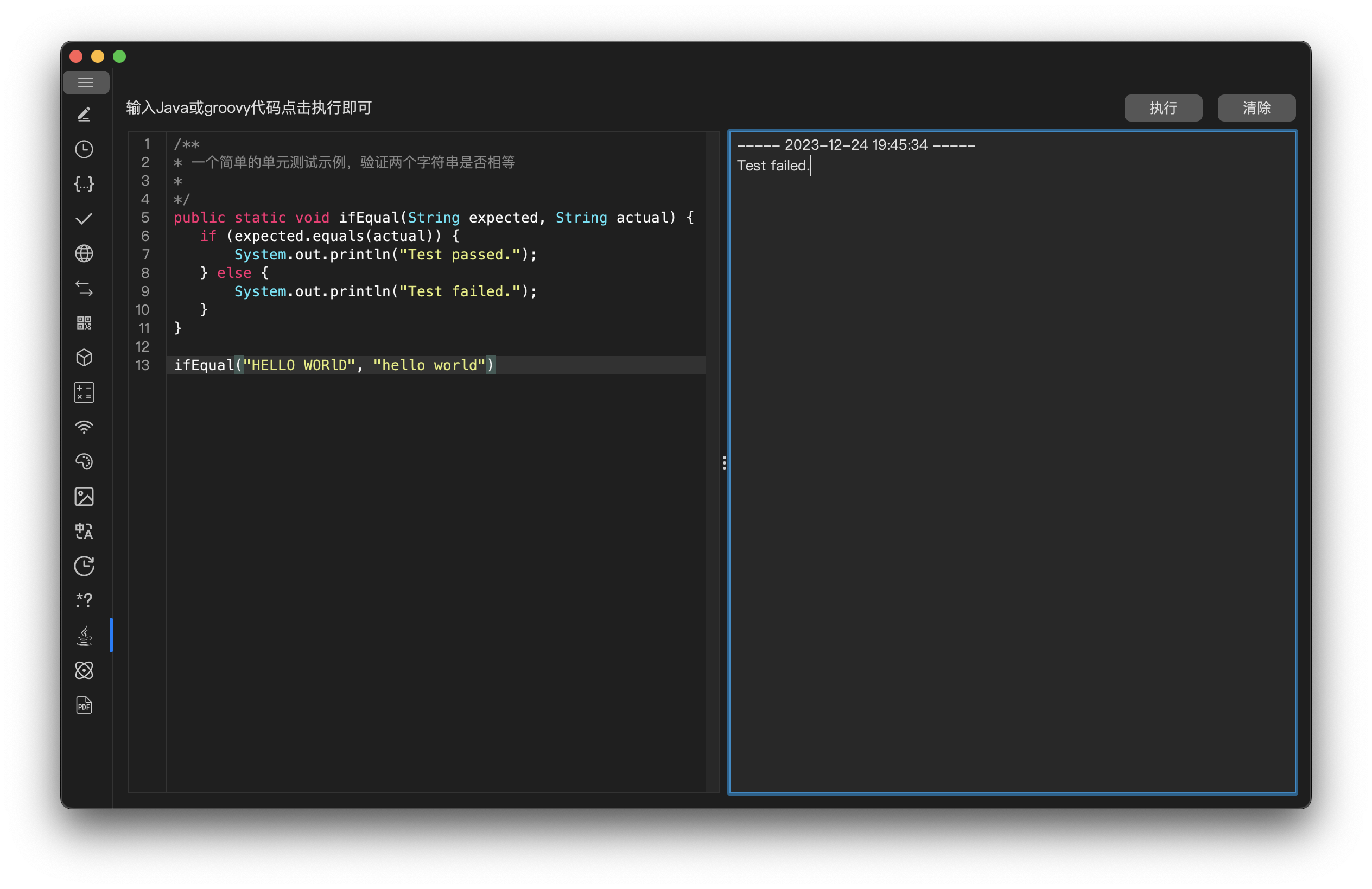
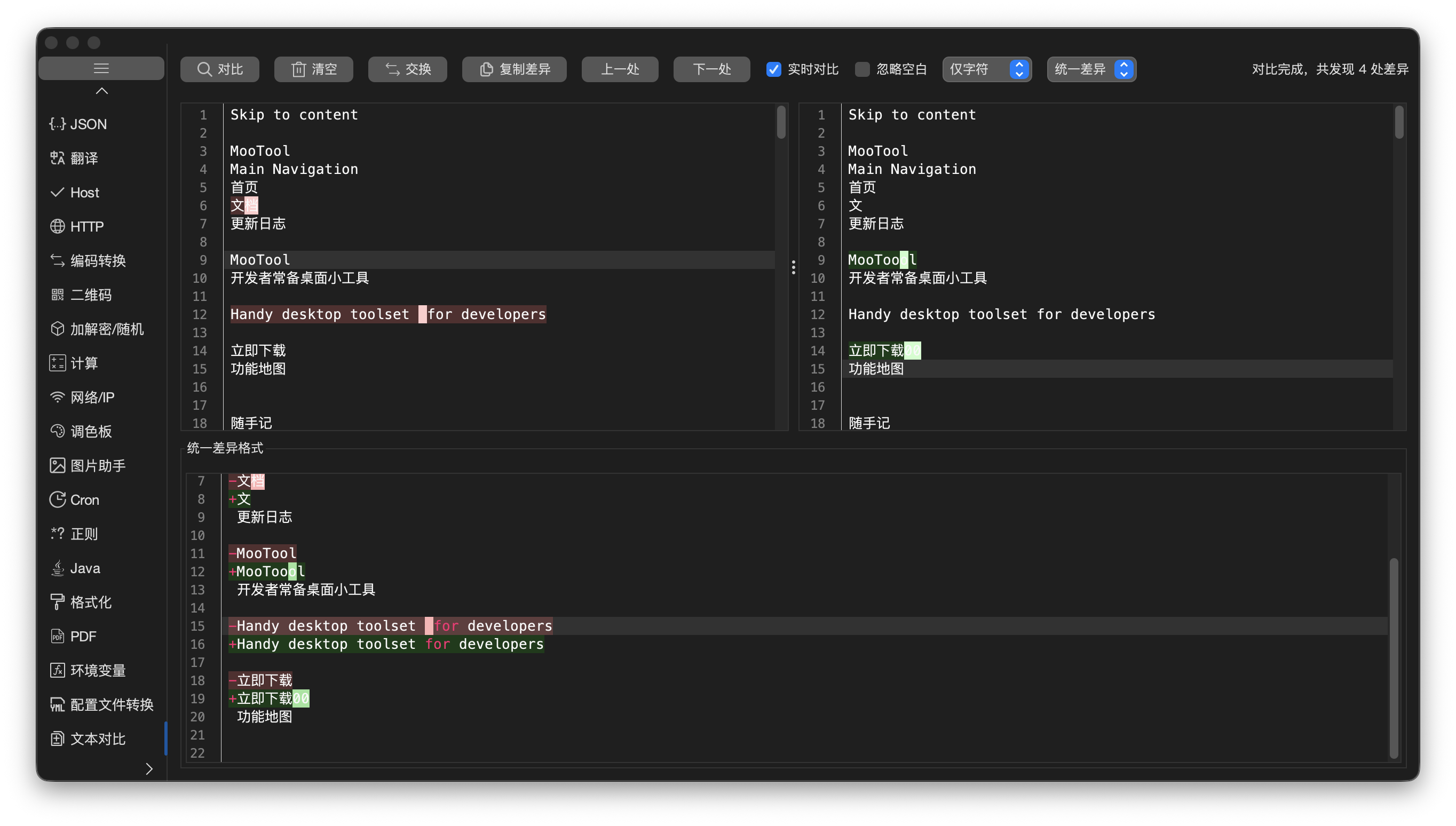
> Main feature screenshots below. Translation, UA analysis, Image assistant, PDF, environment variables, system info, config conversion, Protobuf, and other modules do not have dedicated screenshots yet — open the corresponding tabs after install.
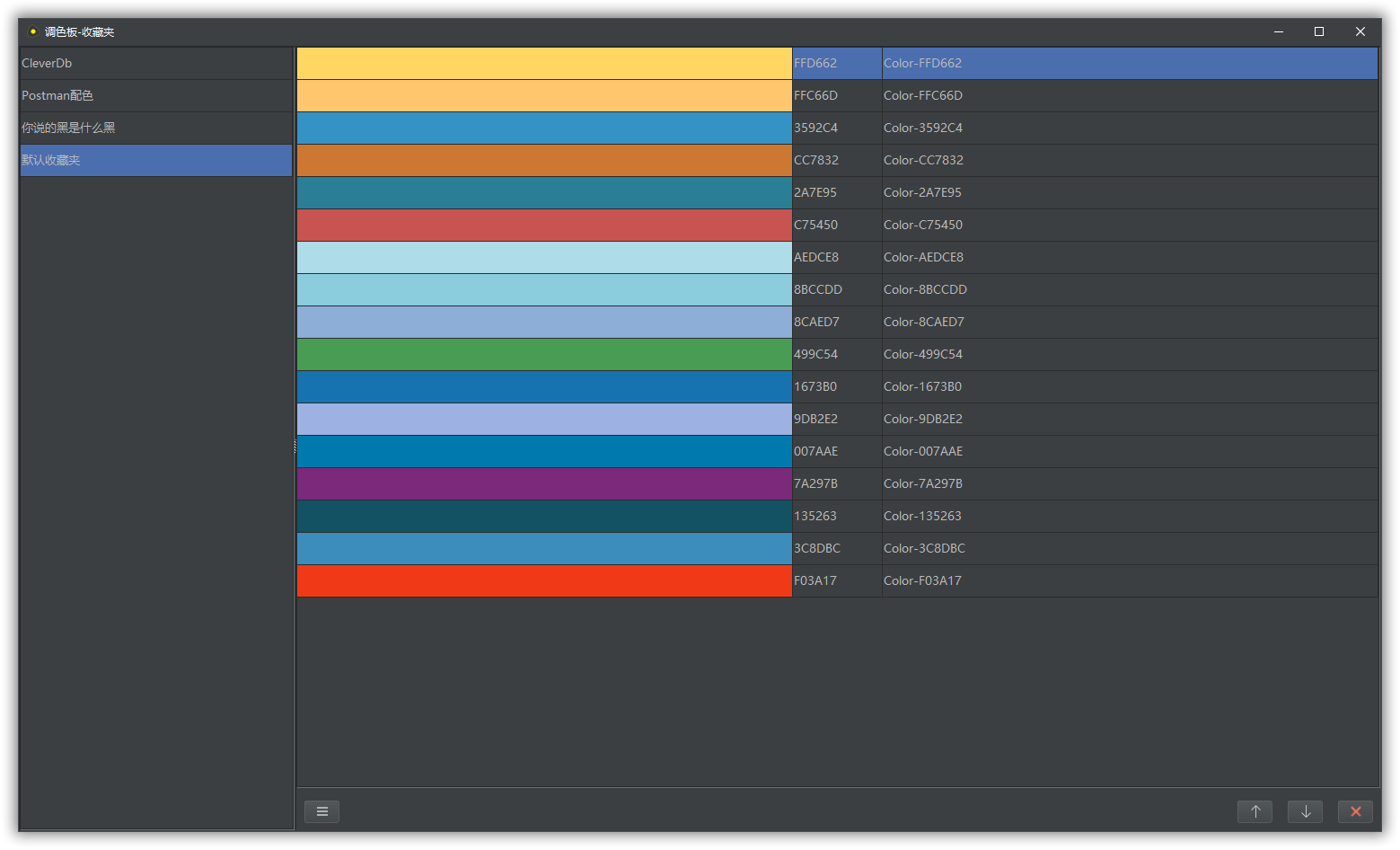
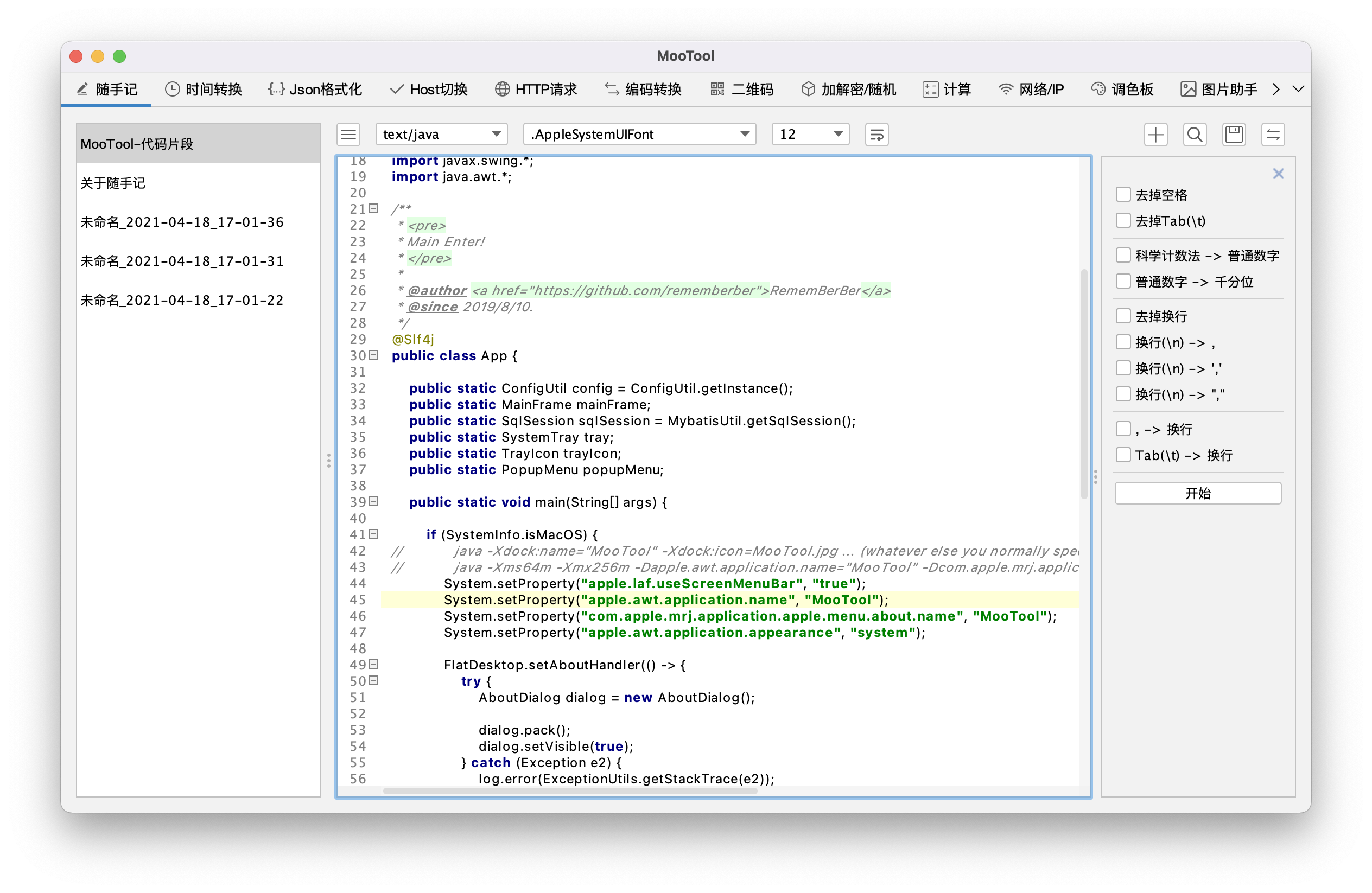
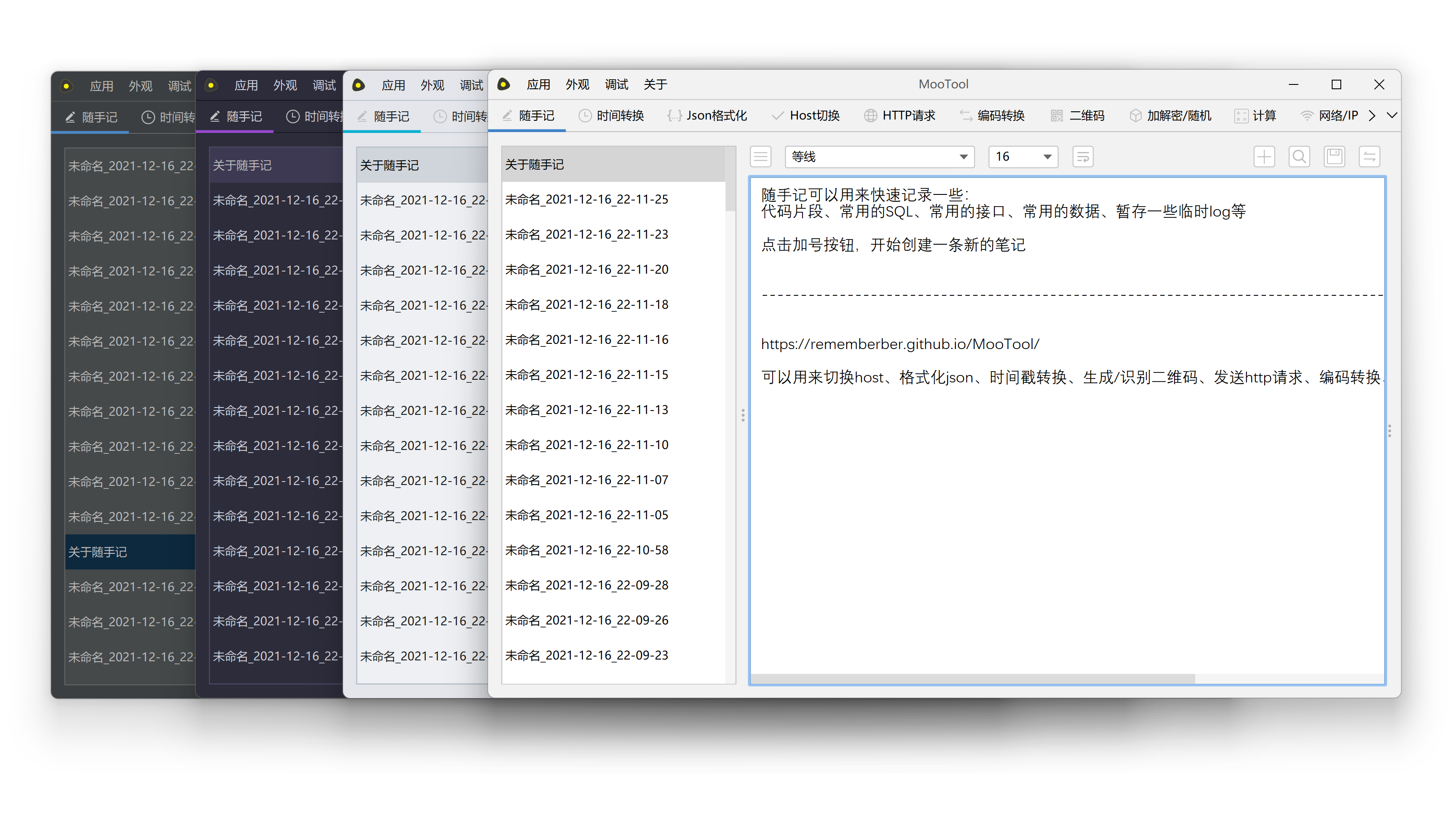
## Download
[https://github.com/rememberber/MooTool/releases](https://github.com/rememberber/MooTool/releases)
[https://gitee.com/zhoubochina/MooTool/releases](https://gitee.com/zhoubochina/MooTool/releases)
## Support the author
**If MooTool helps you, consider supporting the evenings and weekends spent building it — your appreciation keeps me motivated.**

# MooTool feature map
> Many modules include a **History** sub-tab: search, apply, copy input/output, delete, and clear all.
```text
MooTool
├── Quick Note
│ ├── Multi-language syntax highlighting
│ ├── Common code formatting
│ │ ├── SQL
│ │ ├── JSON
│ │ └── Java
│ ├── Ordered / unordered lists
│ ├── Markdown live preview
│ ├── Insert images in Markdown
│ ├── Export / batch export, search, global find
│ ├── Document info (created/updated time, word count, etc.)
│ ├── Link detection and click-to-open
│ ├── Font, font size, list colors
│ └── Quick replace panel
│ ├── Batch text operations in the side panel (selected lines only):
│ ├── Auto save
│ ├── Trim spaces
│ ├── Remove empty lines
│ ├── Remove tabs (\t)
│ ├── Scientific notation → plain number
│ ├── Plain number → scientific notation
│ ├── Plain number → thousands separator
│ ├── Thousands separator → plain number
│ ├── snake_case → camelCase
│ ├── camelCase → snake_case
│ ├── UPPER → lower
│ ├── lower → UPPER
│ ├── Remove line breaks
│ ├── Line break → comma
│ ├── Line break → ','
│ ├── Line break → ","
│ ├── Comma → line break
│ ├── ',' → line break
│ ├── "," → line break
│ ├── Tab (\t) → line break
│ ├── Deduplicate lines
│ ├── Deduplicate lines and count occurrences
│ ├── Escape
│ ├── Unescape
│ ├── Reverse lines
│ ├── Sort lines A→Z
│ ├── Sort lines Z→A
│ └── Sort by pinyin
├── Time convert
│ ├── Timestamp conversion
│ │ ├── Date/time → timestamp (ms)
│ │ ├── Timestamp (ms) → date/time
│ │ ├── Timestamp (s) → date/time
│ │ └── Date/time → timestamp (s)
│ ├── History
│ ├── Fullscreen clock
│ └── Timezone picker and quick shortcuts
├── JSON
│ ├── JSON format
│ │ ├── Sort keys alphabetically
│ │ ├── Ignore key case
│ │ └── Check duplicate keys
│ ├── JSON minify
│ ├── Export / batch export, find
│ ├── Font and size
│ ├── Swap JSON keys and values
│ ├── JSON → XML
│ ├── XML → JSON
│ ├── JavaBean → JSON
│ ├── JSON → JavaBean
│ ├── Escape
│ ├── Unescape
│ ├── Get JSON via JSON Path
│ └── Visual JSON Path picker
├── Translation
│ ├── 20+ languages with auto-detect (Chinese, English, Japanese, Korean, French, Spanish, German, Russian, …)
│ ├── Google / Bing translators with automatic fallback
│ ├── Save to word book
│ ├── Word book
│ │ ├── Search, create, edit, delete
│ │ └── Retranslate
│ └── Translation history
├── Host
│ ├── Host formatting / syntax highlight
│ ├── Manage / view system hosts
│ ├── Import / export hosts
│ └── Search, find & replace
├── HTTP
│ ├── HTTP requests: GET/POST/PUT/DELETE/HEAD/PATCH/OPTIONS
│ ├── Import cURL
│ ├── Format HTTP header/body
│ ├── Request management
│ ├── Request history
│ └── Search
├── UA analysis
│ ├── Parse User-Agent (browser, engine, OS, device type/brand/model, …)
│ ├── Detect mobile / bot crawlers
│ ├── Preset UAs (Chrome, Firefox, Safari, Edge, WeChat in-app browser, curl, …)
│ ├── Paste / clear
│ └── History
├── Encode / decode
│ ├── Native → Unicode
│ ├── Unicode → Native
│ ├── URL encode / decode
│ ├── Native → hex
│ ├── Hex → Native
│ ├── Native → ASCII (decimal/hex code points)
│ ├── ASCII → Native
│ └── History
├── QR code
│ ├── Generate QR code
│ │ ├── Custom size
│ │ ├── Custom error correction level
│ │ └── Custom logo
│ ├── Decode QR code
│ ├── Read from clipboard
│ └── History
├── Crypto / random
│ ├── Supports Chinese national crypto SM2 / SM3 / SM4
│ ├── Symmetric encrypt/decrypt
│ │ ├── AES
│ │ ├── DES
│ │ └── SM4
│ ├── Asymmetric encrypt/decrypt
│ │ ├── RSA
│ │ └── SM2 (encrypt/decrypt, sign, verify)
│ ├── Digest (file/text)
│ │ ├── MD5
│ │ ├── SHA1
│ │ ├── SHA256
│ │ ├── SHA384
│ │ ├── SHA512
│ │ └── SM3
│ ├── Base64 encode/decode
│ ├── Base32 encode/decode
│ ├── Random UUID
│ ├── Random numeric/alpha/alphanumeric strings (custom length)
│ ├── Random strong passwords (custom length)
│ └── History
├── Calculator
│ ├── Arithmetic
│ ├── Base conversion
│ ├── Greatest common divisor
│ ├── Least common multiple
│ ├── Permutations & combinations
│ └── History
├── Network / IP
│ ├── IP lookup
│ ├── Domain lookup
│ ├── netstat
│ ├── ping
│ ├── IPv4 ↔ long conversion
│ ├── WHOIS lookup
│ └── Flush DNS
├── Color board
│ ├── Theme / standard palettes
│ ├── Screen color picker
│ ├── Free-form color pick
│ ├── Color format conversion
│ ├── Favorite colors
│ ├── Color ops (invert, intersect, add, difference, average)
│ └── History
├── Image assistant
│ ├── Local image host
│ ├── Screenshot
│ ├── Clipboard import / export
│ ├── Zoom toolbar (in/out/original/fit)
│ ├── Image Base64 encode/decode
│ ├── Image compression
│ ├── Image watermark
│ └── Image OCR (Tesseract)
├── Cron
│ ├── Cron expression builder
│ ├── Parse cron (Linux 5-field / Quartz 6–7 field)
│ ├── Validate cron
│ ├── Cron to natural language
│ ├── Next 10 run times
│ ├── Favorite cron expressions
│ ├── History
│ └── Common cron examples
├── Regex
│ ├── Regex match test
│ ├── Favorite regex
│ ├── Common regex patterns
│ └── History
├── Java
│ ├── Java/Groovy format & highlight
│ ├── Java/Groovy interpret & run
│ └── History
├── Reformat
│ ├── Format uploaded files
│ │ ├── Nginx config
│ │ ├── XML
│ │ ├── HTML
│ │ └── Java
│ ├── Paste & format (Nginx / Java / XML / HTML)
│ └── History
├── PDF
│ ├── Split PDF
│ └── Merge PDF
├── Environment
│ ├── System environment variables (table)
│ ├── Java properties
│ └── Refresh / export
├── System info
│ ├── Collects local system/hardware info via OSHI; loads on first visit or refresh:
│ ├── System (OS, computer, firmware, motherboard, …)
│ ├── CPU
│ ├── Memory
│ ├── Storage
│ └── Network
├── Config conversion
│ ├── Properties → YAML
│ ├── YAML → Properties
│ ├── YAML validate (syntax & line numbers)
│ ├── YAML format
│ ├── History
│ ├── JSON → YAML (TODO)
│ └── YAML → JSON (TODO)
├── Text diff
│ ├── Side-by-side diff (sync scroll)
│ ├── Unified diff
│ └── Copy diff
├── Protobuf
│ ├── JSON ↔ Protobuf binary
│ │ ├── Hex / Base64 output
│ │ └── Format `.proto` definitions
│ ├── Decode wire format (no `.proto` required)
│ ├── Hex / Base64 conversion
│ └── History
└── App & settings
├── Sync & backup (Git sync, data export)
├── Keyboard shortcuts
├── Custom data directory
├── Check for updates on startup
├── SQL dialect
├── System tray
├── Window behavior
│ ├── macOS / Windows: close button hides to Dock/taskbar; app keeps running
│ └── Linux: close button quits the app
├── Appearance
│ ├── Many themes (Flat Light/Dark, macOS, One Dark, Monokai, …)
│ ├── Accent color
│ ├── Follow system accent
│ ├── Immersive window background
│ ├── Maximize on startup
│ └── Tab icons only mode
└── Layout
├── Panel position (top/bottom/left/right)
└── Global font & size
```
## Acknowledgements
[Hutool](http://hutool.cn/)
[FlatLaf](https://github.com/JFormDesigner/FlatLaf)
[vscode-icons](https://github.com/microsoft/vscode-icons)
[iconfont](https://www.iconfont.cn/)
## Developer notes
Minimum JDK: **21**
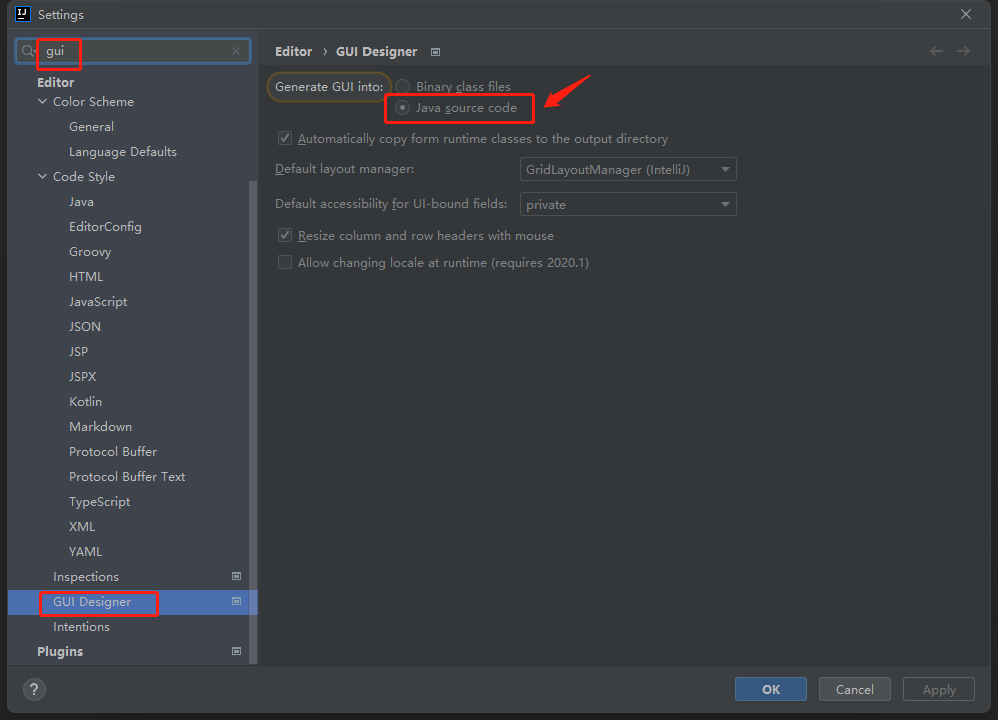
Before you start, **configure IntelliJ IDEA as shown below**, then run **maven clean**:
### Packaging & CI
Packaging JDKs can be downloaded and cached locally:
- JDK archives: `downloads/jdks/`
- Extracted JDKs: `jdks///home`
The download script uses Eclipse Temurin 21 and skips re-download when already present.
#### Prepare local packaging JDKs
```bash
python3 scripts/prepare_jdks.py --targets mac-x64
python3 scripts/prepare_jdks.py --targets mac-arm64
python3 scripts/prepare_jdks.py --targets windows-x64
python3 scripts/prepare_jdks.py --targets linux-x64
```
Resolve all download targets:
```bash
python3 scripts/prepare_jdks.py --targets all --resolve-only
```
#### Local package commands
Default `mvn clean package` uses your current JDK and builds a macOS universal package.
Profiles `mac-intel`, `mac-apple-silicon`, `windows-x64`, and `linux-x64` validate cached JDKs under `jdks/` during `validate`; run `scripts/prepare_jdks.py` first or the build fails fast.
Package for a specific platform using cached JDKs:
```bash
mvn clean package -Pmac-intel -Dmaven.test.skip=true
mvn clean package -Pmac-apple-silicon -Dmaven.test.skip=true
mvn clean package -Pwindows-x64 -Dmaven.test.skip=true
mvn clean package -Plinux-x64 -Dmaven.test.skip=true
```
Output directories:
- Default: `target/`
- Intel Mac: `target/mac-intel/`
- Apple Silicon Mac: `target/mac-apple-silicon/`
- Windows x64: `target/windows-x64/`
- Linux x64: `target/linux-x64/`
#### GitHub Actions
Workflow: `.github/workflows/build-installers.yml`
> Build each platform on its native runner when possible.
Features:
- Supports `workflow_dispatch`
- Runs on `v*` tag push
- On `v*` tags, hosted runners build:
- `macos-14`:`mac-apple-silicon`
- `windows-latest`:`windows-x64`
- `ubuntu-latest`:`linux-x64`
- `mac-intel` is manual-only on a self-hosted runner (`self-hosted`, `macOS`, `X64`)
- Caches `downloads/jdks/` and `jdks/` via `actions/cache`
- Artifacts are renamed before upload, e.g. `MooTool-1.7.0-mac-intel.dmg`, `MooTool-1.7.0-windows-x64.zip`
- Actions Summary lists original → release filename mapping
- `v*` tags create/update GitHub Release with installer assets
Manual **Build installers** workflow `target` options:
- `all`: hosted platforms + optional self-hosted `mac-intel`
- `mac-intel`: self-hosted Intel Mac only
- `mac-apple-silicon` / `windows-x64` / `linux-x64`: single hosted platform
If you set `release_tag` (e.g. `v1.7.0`) on manual runs, successful artifacts are appended to that existing Release — useful to add `mac-intel` after the main release.
For `mac-intel`, register a self-hosted Intel Mac runner with labels:
- `self-hosted`
- `macOS`
- `X64`
## Supported platforms
Windows • Linux • macOS
## Screenshots
> Main feature screenshots below. Translation, UA analysis, Image assistant, PDF, environment variables, system info, config conversion, Protobuf, and other modules do not have dedicated screenshots yet — open the corresponding tabs after install.



















## Download
[https://github.com/rememberber/MooTool/releases](https://github.com/rememberber/MooTool/releases)
[https://gitee.com/zhoubochina/MooTool/releases](https://gitee.com/zhoubochina/MooTool/releases)
## Support the author
**If MooTool helps you, consider supporting the evenings and weekends spent building it — your appreciation keeps me motivated.**

# MooTool feature map
> Many modules include a **History** sub-tab: search, apply, copy input/output, delete, and clear all.
```text
MooTool
├── Quick Note
│ ├── Multi-language syntax highlighting
│ ├── Common code formatting
│ │ ├── SQL
│ │ ├── JSON
│ │ └── Java
│ ├── Ordered / unordered lists
│ ├── Markdown live preview
│ ├── Insert images in Markdown
│ ├── Export / batch export, search, global find
│ ├── Document info (created/updated time, word count, etc.)
│ ├── Link detection and click-to-open
│ ├── Font, font size, list colors
│ └── Quick replace panel
│ ├── Batch text operations in the side panel (selected lines only):
│ ├── Auto save
│ ├── Trim spaces
│ ├── Remove empty lines
│ ├── Remove tabs (\t)
│ ├── Scientific notation → plain number
│ ├── Plain number → scientific notation
│ ├── Plain number → thousands separator
│ ├── Thousands separator → plain number
│ ├── snake_case → camelCase
│ ├── camelCase → snake_case
│ ├── UPPER → lower
│ ├── lower → UPPER
│ ├── Remove line breaks
│ ├── Line break → comma
│ ├── Line break → ','
│ ├── Line break → ","
│ ├── Comma → line break
│ ├── ',' → line break
│ ├── "," → line break
│ ├── Tab (\t) → line break
│ ├── Deduplicate lines
│ ├── Deduplicate lines and count occurrences
│ ├── Escape
│ ├── Unescape
│ ├── Reverse lines
│ ├── Sort lines A→Z
│ ├── Sort lines Z→A
│ └── Sort by pinyin
├── Time convert
│ ├── Timestamp conversion
│ │ ├── Date/time → timestamp (ms)
│ │ ├── Timestamp (ms) → date/time
│ │ ├── Timestamp (s) → date/time
│ │ └── Date/time → timestamp (s)
│ ├── History
│ ├── Fullscreen clock
│ └── Timezone picker and quick shortcuts
├── JSON
│ ├── JSON format
│ │ ├── Sort keys alphabetically
│ │ ├── Ignore key case
│ │ └── Check duplicate keys
│ ├── JSON minify
│ ├── Export / batch export, find
│ ├── Font and size
│ ├── Swap JSON keys and values
│ ├── JSON → XML
│ ├── XML → JSON
│ ├── JavaBean → JSON
│ ├── JSON → JavaBean
│ ├── Escape
│ ├── Unescape
│ ├── Get JSON via JSON Path
│ └── Visual JSON Path picker
├── Translation
│ ├── 20+ languages with auto-detect (Chinese, English, Japanese, Korean, French, Spanish, German, Russian, …)
│ ├── Google / Bing translators with automatic fallback
│ ├── Save to word book
│ ├── Word book
│ │ ├── Search, create, edit, delete
│ │ └── Retranslate
│ └── Translation history
├── Host
│ ├── Host formatting / syntax highlight
│ ├── Manage / view system hosts
│ ├── Import / export hosts
│ └── Search, find & replace
├── HTTP
│ ├── HTTP requests: GET/POST/PUT/DELETE/HEAD/PATCH/OPTIONS
│ ├── Import cURL
│ ├── Format HTTP header/body
│ ├── Request management
│ ├── Request history
│ └── Search
├── UA analysis
│ ├── Parse User-Agent (browser, engine, OS, device type/brand/model, …)
│ ├── Detect mobile / bot crawlers
│ ├── Preset UAs (Chrome, Firefox, Safari, Edge, WeChat in-app browser, curl, …)
│ ├── Paste / clear
│ └── History
├── Encode / decode
│ ├── Native → Unicode
│ ├── Unicode → Native
│ ├── URL encode / decode
│ ├── Native → hex
│ ├── Hex → Native
│ ├── Native → ASCII (decimal/hex code points)
│ ├── ASCII → Native
│ └── History
├── QR code
│ ├── Generate QR code
│ │ ├── Custom size
│ │ ├── Custom error correction level
│ │ └── Custom logo
│ ├── Decode QR code
│ ├── Read from clipboard
│ └── History
├── Crypto / random
│ ├── Supports Chinese national crypto SM2 / SM3 / SM4
│ ├── Symmetric encrypt/decrypt
│ │ ├── AES
│ │ ├── DES
│ │ └── SM4
│ ├── Asymmetric encrypt/decrypt
│ │ ├── RSA
│ │ └── SM2 (encrypt/decrypt, sign, verify)
│ ├── Digest (file/text)
│ │ ├── MD5
│ │ ├── SHA1
│ │ ├── SHA256
│ │ ├── SHA384
│ │ ├── SHA512
│ │ └── SM3
│ ├── Base64 encode/decode
│ ├── Base32 encode/decode
│ ├── Random UUID
│ ├── Random numeric/alpha/alphanumeric strings (custom length)
│ ├── Random strong passwords (custom length)
│ └── History
├── Calculator
│ ├── Arithmetic
│ ├── Base conversion
│ ├── Greatest common divisor
│ ├── Least common multiple
│ ├── Permutations & combinations
│ └── History
├── Network / IP
│ ├── IP lookup
│ ├── Domain lookup
│ ├── netstat
│ ├── ping
│ ├── IPv4 ↔ long conversion
│ ├── WHOIS lookup
│ └── Flush DNS
├── Color board
│ ├── Theme / standard palettes
│ ├── Screen color picker
│ ├── Free-form color pick
│ ├── Color format conversion
│ ├── Favorite colors
│ ├── Color ops (invert, intersect, add, difference, average)
│ └── History
├── Image assistant
│ ├── Local image host
│ ├── Screenshot
│ ├── Clipboard import / export
│ ├── Zoom toolbar (in/out/original/fit)
│ ├── Image Base64 encode/decode
│ ├── Image compression
│ ├── Image watermark
│ └── Image OCR (Tesseract)
├── Cron
│ ├── Cron expression builder
│ ├── Parse cron (Linux 5-field / Quartz 6–7 field)
│ ├── Validate cron
│ ├── Cron to natural language
│ ├── Next 10 run times
│ ├── Favorite cron expressions
│ ├── History
│ └── Common cron examples
├── Regex
│ ├── Regex match test
│ ├── Favorite regex
│ ├── Common regex patterns
│ └── History
├── Java
│ ├── Java/Groovy format & highlight
│ ├── Java/Groovy interpret & run
│ └── History
├── Reformat
│ ├── Format uploaded files
│ │ ├── Nginx config
│ │ ├── XML
│ │ ├── HTML
│ │ └── Java
│ ├── Paste & format (Nginx / Java / XML / HTML)
│ └── History
├── PDF
│ ├── Split PDF
│ └── Merge PDF
├── Environment
│ ├── System environment variables (table)
│ ├── Java properties
│ └── Refresh / export
├── System info
│ ├── Collects local system/hardware info via OSHI; loads on first visit or refresh:
│ ├── System (OS, computer, firmware, motherboard, …)
│ ├── CPU
│ ├── Memory
│ ├── Storage
│ └── Network
├── Config conversion
│ ├── Properties → YAML
│ ├── YAML → Properties
│ ├── YAML validate (syntax & line numbers)
│ ├── YAML format
│ ├── History
│ ├── JSON → YAML (TODO)
│ └── YAML → JSON (TODO)
├── Text diff
│ ├── Side-by-side diff (sync scroll)
│ ├── Unified diff
│ └── Copy diff
├── Protobuf
│ ├── JSON ↔ Protobuf binary
│ │ ├── Hex / Base64 output
│ │ └── Format `.proto` definitions
│ ├── Decode wire format (no `.proto` required)
│ ├── Hex / Base64 conversion
│ └── History
└── App & settings
├── Sync & backup (Git sync, data export)
├── Keyboard shortcuts
├── Custom data directory
├── Check for updates on startup
├── SQL dialect
├── System tray
├── Window behavior
│ ├── macOS / Windows: close button hides to Dock/taskbar; app keeps running
│ └── Linux: close button quits the app
├── Appearance
│ ├── Many themes (Flat Light/Dark, macOS, One Dark, Monokai, …)
│ ├── Accent color
│ ├── Follow system accent
│ ├── Immersive window background
│ ├── Maximize on startup
│ └── Tab icons only mode
└── Layout
├── Panel position (top/bottom/left/right)
└── Global font & size
```
## Acknowledgements
[Hutool](http://hutool.cn/)
[FlatLaf](https://github.com/JFormDesigner/FlatLaf)
[vscode-icons](https://github.com/microsoft/vscode-icons)
[iconfont](https://www.iconfont.cn/)
## Developer notes
Minimum JDK: **21**
Before you start, **configure IntelliJ IDEA as shown below**, then run **maven clean**:

### Packaging & CI
Packaging JDKs can be downloaded and cached locally:
- JDK archives: `downloads/jdks/`
- Extracted JDKs: `jdks///home`
The download script uses Eclipse Temurin 21 and skips re-download when already present.
#### Prepare local packaging JDKs
```bash
python3 scripts/prepare_jdks.py --targets mac-x64
python3 scripts/prepare_jdks.py --targets mac-arm64
python3 scripts/prepare_jdks.py --targets windows-x64
python3 scripts/prepare_jdks.py --targets linux-x64
```
Resolve all download targets:
```bash
python3 scripts/prepare_jdks.py --targets all --resolve-only
```
#### Local package commands
Default `mvn clean package` uses your current JDK and builds a macOS universal package.
Profiles `mac-intel`, `mac-apple-silicon`, `windows-x64`, and `linux-x64` validate cached JDKs under `jdks/` during `validate`; run `scripts/prepare_jdks.py` first or the build fails fast.
Package for a specific platform using cached JDKs:
```bash
mvn clean package -Pmac-intel -Dmaven.test.skip=true
mvn clean package -Pmac-apple-silicon -Dmaven.test.skip=true
mvn clean package -Pwindows-x64 -Dmaven.test.skip=true
mvn clean package -Plinux-x64 -Dmaven.test.skip=true
```
Output directories:
- Default: `target/`
- Intel Mac: `target/mac-intel/`
- Apple Silicon Mac: `target/mac-apple-silicon/`
- Windows x64: `target/windows-x64/`
- Linux x64: `target/linux-x64/`
#### GitHub Actions
Workflow: `.github/workflows/build-installers.yml`
> Build each platform on its native runner when possible.
Features:
- Supports `workflow_dispatch`
- Runs on `v*` tag push
- On `v*` tags, hosted runners build:
- `macos-14`:`mac-apple-silicon`
- `windows-latest`:`windows-x64`
- `ubuntu-latest`:`linux-x64`
- `mac-intel` is manual-only on a self-hosted runner (`self-hosted`, `macOS`, `X64`)
- Caches `downloads/jdks/` and `jdks/` via `actions/cache`
- Artifacts are renamed before upload, e.g. `MooTool-1.7.0-mac-intel.dmg`, `MooTool-1.7.0-windows-x64.zip`
- Actions Summary lists original → release filename mapping
- `v*` tags create/update GitHub Release with installer assets
Manual **Build installers** workflow `target` options:
- `all`: hosted platforms + optional self-hosted `mac-intel`
- `mac-intel`: self-hosted Intel Mac only
- `mac-apple-silicon` / `windows-x64` / `linux-x64`: single hosted platform
If you set `release_tag` (e.g. `v1.7.0`) on manual runs, successful artifacts are appended to that existing Release — useful to add `mac-intel` after the main release.
For `mac-intel`, register a self-hosted Intel Mac runner with labels:
- `self-hosted`
- `macOS`
- `X64`